 FlashKeepers
Rate your recall
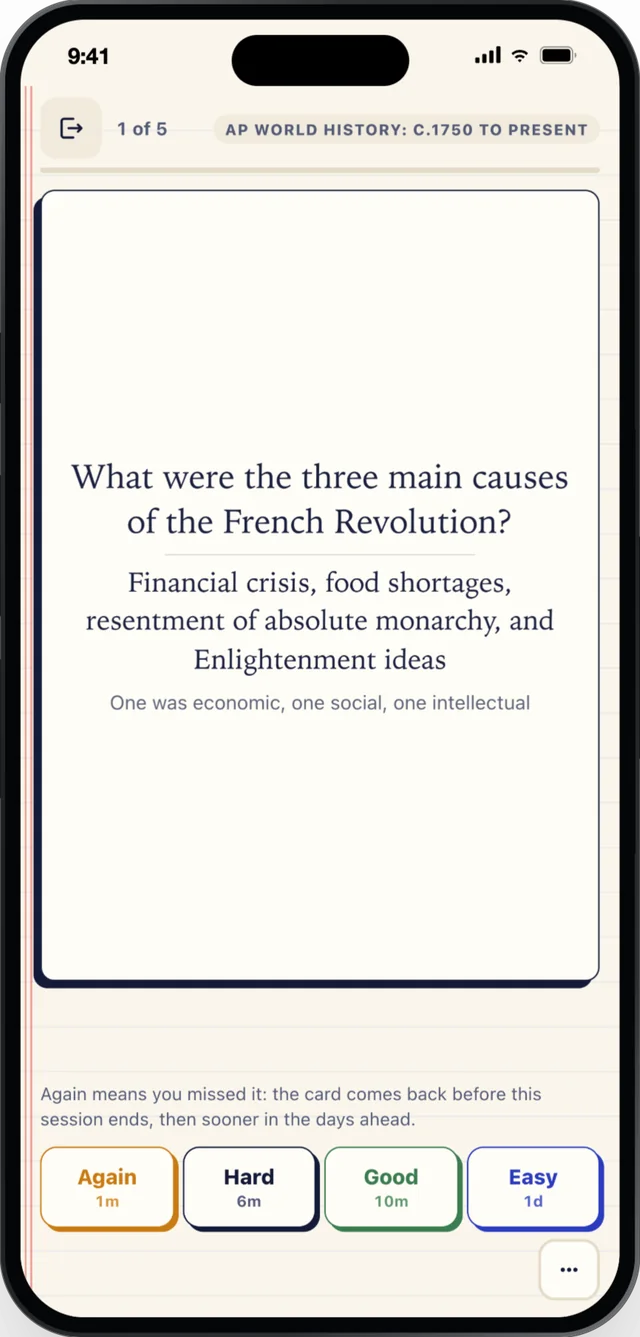
Again, Hard, Good or Easy. Each button shows when the card comes back, so the schedule is never a mystery.
Paste a page, a PDF, slides or a YouTube link and get cards you check before they land. Then review a few minutes a day, on a schedule that never piles up.
Or drop a PDF, Word or PowerPoint file here.
No material handy? Browse 6,119 ready-made decks.
What is the primary function of mitochondria?
To produce ATP through cellular respiration.
“Mitochondria generate most of the cell’s supply of ATP, the molecule that powers its chemical reactions.”
Every AI card is checked against its source before you see it. Nothing is saved until you accept it.
Tap the card for the answer. Tap again for its source.
Again, Hard, Good or Easy. Each button shows when the card comes back, so the schedule is never a mystery.
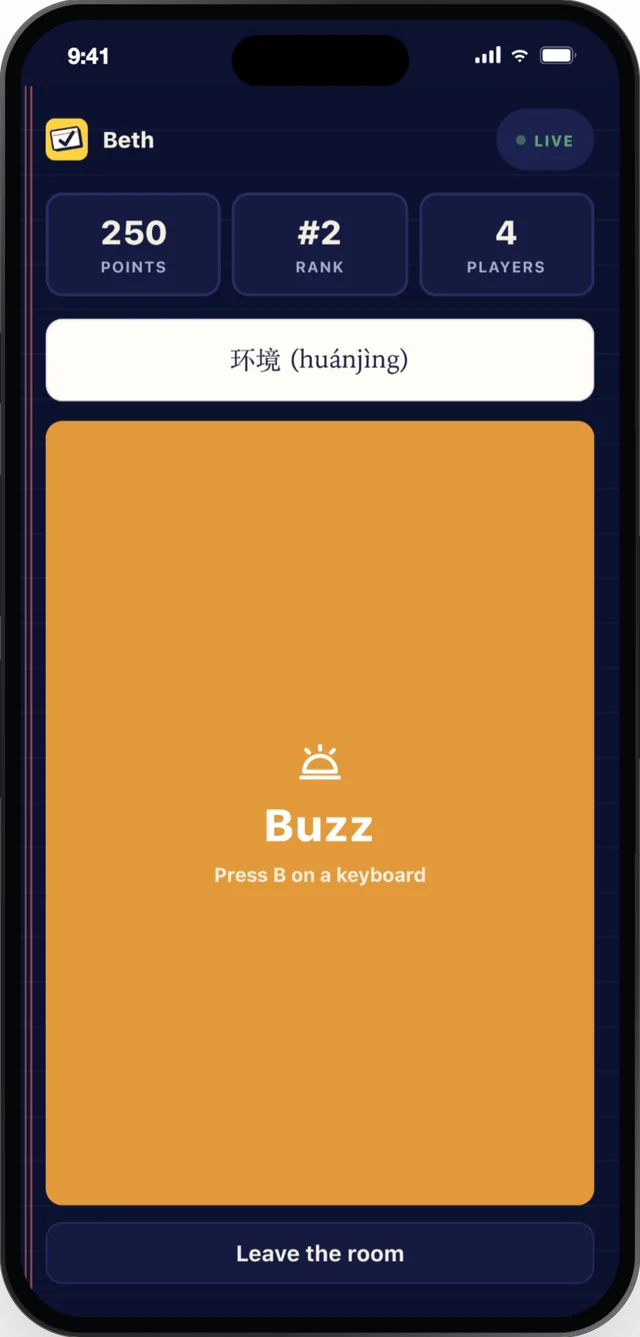
Players join from their phones with a 5-letter code. The first buzz wins the card, and the host scores it.
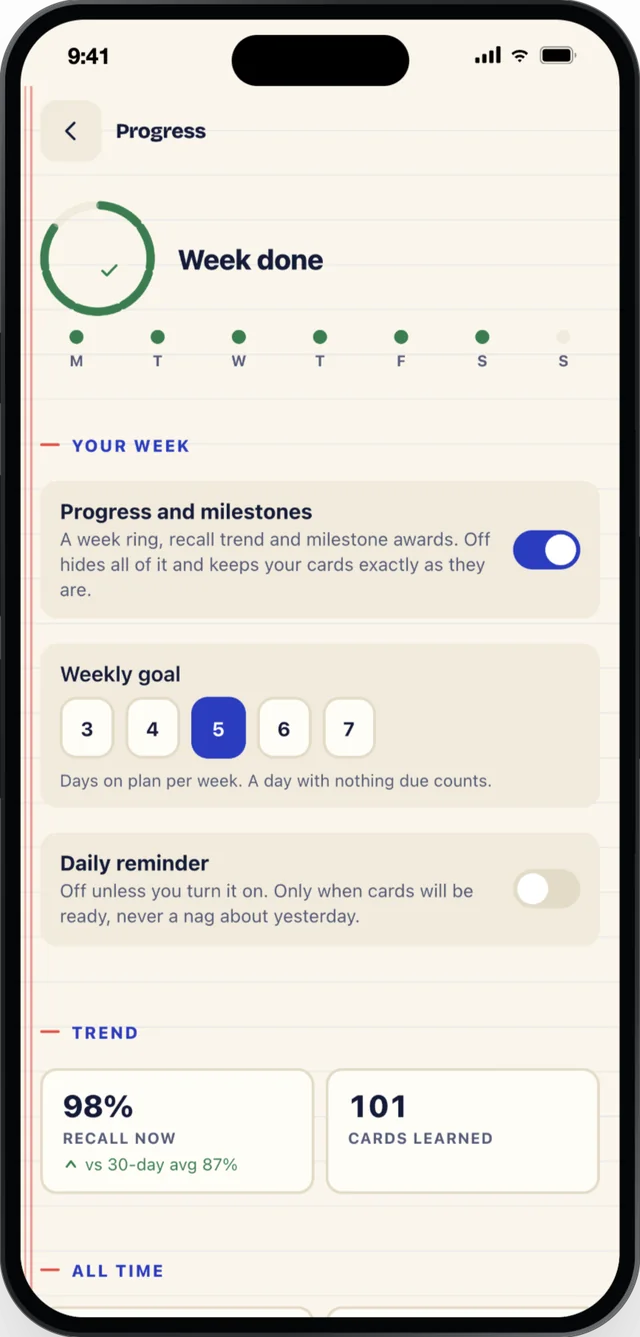
Recall over the last 30 days, cards learned, and a weekly goal you set. All of it optional: one switch turns it off.
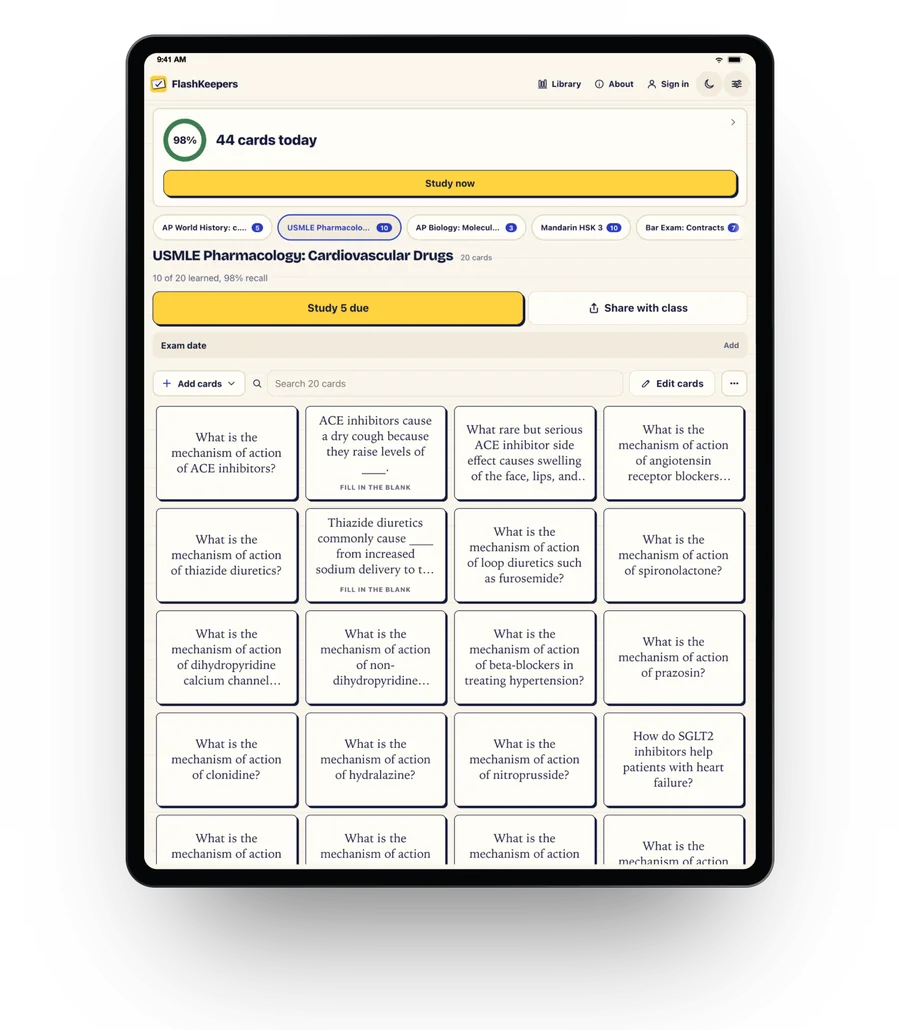
6,119 decks across 358 subjects, free to start, yours to edit.

What is the normal oral temperature range for adults in Fahrenheit?
Study now
SSRIs: What is their primary mechanism of action?
Study now
In what year did Jamestown, the first permanent English settlement in North America, become established?
Study nowPaste a link, drop a file, or choose a ready-made deck from the library.
Every AI card quotes its source and is marked supported or partial. Nothing is saved until you say so.
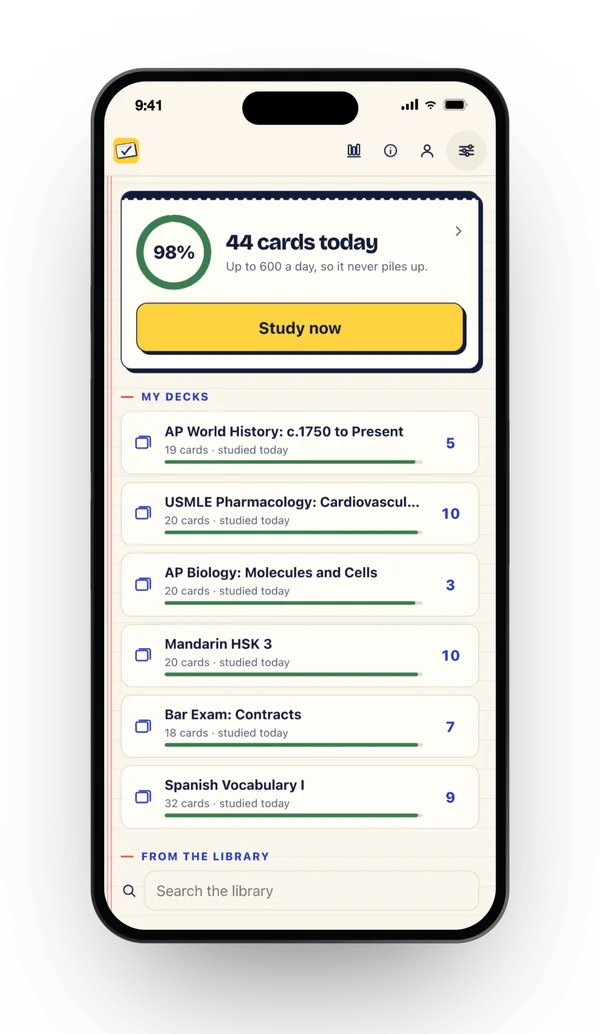
A daily limit keeps it short. Miss a day and the extra spreads over the week instead of piling up.
Any TV browser, one 5-letter code, and the whole room sees the card. Nothing installs, and people who join never pay.
The same FlashKeepers as a native app for iPhone and iPad. Free to download, with the same one-time Pro.

On Android? Get the Android app.
Everything above stays free. Pro is one purchase per person, on every device you sign in on. People who join your TV room never pay anything.
Free, no account, no ads
Pro, $14.99 once per person
Checkout by Polar. You get a license key by email and paste it into the app under Settings. No account needed. On iPhone, Pro is also a one-tap purchase in the app.
| Capability | FlashKeepers | Anki | Quizlet | Brainscape | Jungle |
|---|---|---|---|---|---|
| Price | Free, Pro $14.99 once per person | Free on desktop and Android, $24.99 once on iPhone | Free with ads, Plus about $8 a month | Free, Pro $19.99 a month | Free (3 generations a month), $6 to $12 a month |
| What a year of the paid tier costs | $14.99 once, then $0 every year after | $24.99 once on iPhone, $0 elsewhere | About $96 a year, every year | $240 a year, every year | $72 to $144 a year, every year |
| Ready-made decks | 6,119, free to start | Shared decks, mixed quality | Millions, mixed quality | Certified classes, mostly paid | None, bring your own material |
| Spaced repetition | Adaptive, with a daily limit | Adaptive or classic, no limit | Basic | Confidence-based | Basic daily review |
| A day off never becomes a backlog | Yes | No | No | No | No |
| Cards from a link, PDF, slides or YouTube | Yes | No | No | No | Yes |
| AI cards checked against the source | Yes, every card | No | No | No | No |
| Multiple choice | Yes | Add-on | In test mode | No | Yes |
| Put the deck on a TV | Yes, any TV browser | No | No | No | No |
| Import Anki and Quizlet | Yes | Yes / partly | Partly | Partly | No |
| Works offline | Yes | Yes | Partly | Partly | No |
| Account required | No | For sync | Yes | Yes | Yes |
See the full comparisons: Anki, Quizlet, Brainscape, Jungle
It uses spaced repetition: each time you rate a card, the app estimates how long you will remember it and brings it back just before you would forget. The scheduler is FSRS-6, the open-source algorithm Anki also uses, so a card you know well comes back in weeks and a shaky one comes back tomorrow. A daily ceiling keeps a missed day from piling up.
No. Open flashkeepers.com in any TV browser and type the 5-letter code, or scan the QR from a phone. Nothing installs on the TV.
Catch up spreads the overdue cards evenly over the next 3, 5 or 7 days, your choice. The daily ceiling still holds, so it never turns into a wall of review debt.
Yes. Every AI draft carries a quoted source span and a status: supported, partial, or unsupported. Nothing is saved until you accept it in the tray.
No. Pro is a single one-time unlock, $14.99, yours for good.
Yes, 25 to start, once. After that you buy packs like everyone else, never a subscription.
No. The weekly ring, recall trend, cards learned and milestone awards are entirely optional, and the daily reminder stays off until you turn it on. One switch in Setup turns it all off.
Yes. Reviewing is local-first and works with no connection at all. Table mode, the shared TV view, needs an internet connection.
Paste a link or your notes, or start from one of 6,119 ready-made decks. Free, no account.
Question, bug, or a card type you would love to see? Send a note and we will get back to you.





 A South View Studios app